


 İnstagram
 Facebook
How to Organize Digital Dispensary Menus for a Better Retail Experience
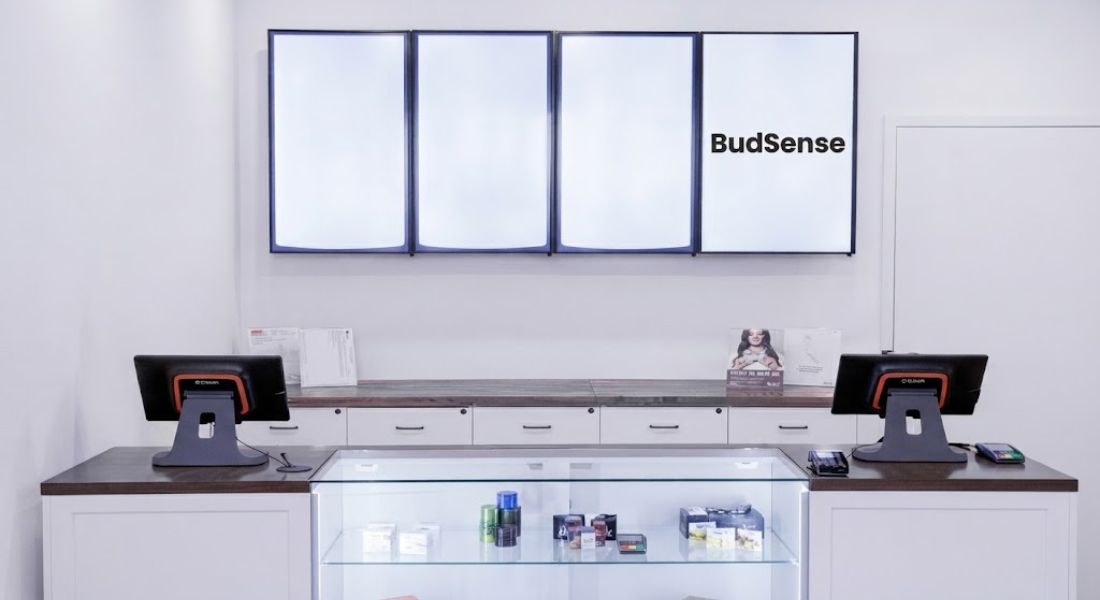
When customers walk into a cannabis retail store, the menu is often one of the first things they look for. Well-organized digital dispensary menus can make it easier for customers to browse available products while giving staff a practical way to present information on in-store screens. Setting up this type of display does not have to be complicated when the hardware, internet connection, and menu software are configured in the right order.
Why Digital Dispensary Menus Matter
Traditional printed menus can require frequent updates whenever products, prices, or availability change. A digital display provides a more flexible way to present menu information on a television or other compatible screen.
For cannabis retailers, digital menus can also help create a consistent presentation throughout the store. Instead of relying on handwritten signs or multiple printed sheets, a connected display can show menu information in an organized format.
The key is to approach the setup as a combination of hardware and software. The television needs to be connected correctly, the display device needs internet access, and the menu application needs to be paired with the appropriate screen.
What You Need Before Starting
Before beginning the setup, gather the equipment and account information you will need.
A typical setup may include:
- A compatible dispensary television
- A Buzz TV Box or compatible display device
- HDMI cable
- Power supply
- Remote control
- Batteries for the remote
- Reliable Wi-Fi or Ethernet connection
- Google account for accessing the Play Store
- Computer or laptop
- Access to your BudSense account
Having everything available before starting can make the installation process much easier.
Connect the Display Hardware
The first stage is connecting the physical equipment.
Start by connecting the power supply to the display device and electrical outlet. Next, connect the HDMI cable to the device and then connect the other end to an available HDMI input on the dispensary television.
Turn on the television and make sure the correct HDMI input is selected.
The remote control should also be prepared with batteries so you can complete the initial television setup.
Complete the Initial Screen Configuration
Once the display device starts, you will normally be asked to configure several basic settings.
These may include:
- Selecting a preferred language.
- Choosing the correct time zone.
- Selecting the television resolution.
- Adjusting the screen size.
- Connecting the device to the internet.
If you are unsure about the appropriate resolution, the display's recommended setting can generally be used as a starting point. The screen-size adjustment is also important because it helps ensure that menu content fits correctly within the visible area of the television.
Connect the Device to Wi-Fi
Internet access is an important part of a digital menu setup because the display needs to communicate with the menu platform.
Select the Wi-Fi option and choose the network used by your dispensary. Enter the network password and wait for the connection to be established.
For locations where Wi-Fi is not preferred, an Ethernet connection may also be an option if the hardware supports it.
Before continuing, confirm that the device is actually connected to the internet.
Install the Menu Application
After establishing an internet connection, open the device's application section and locate the Google Play Store.
Sign into a Google account if required. Then search for the appropriate menu application and install it on the display device.
Once the application has been installed, open it and leave the television ready for the pairing stage.
Add the Display to Your Menu Account
The next part of the process takes place on a computer or laptop.
Sign into your BudSense account and navigate to the display management area. From there, create a new display and enter the information requested by the platform.
Pay attention to the display's orientation and other configuration fields. The settings selected in the menu platform should correspond with the way the physical television has been installed.
This step connects the physical screen with the digital menu system.
Pair the TV With the Display Account
Once the display has been created, open the device application on the dispensary television.
The screen should provide a pairing code. Return to your computer and enter the displayed code into the appropriate area of the menu platform.
You can then select the display you want to associate with the television and complete the pairing process.
After successful pairing, the selected menu should begin appearing on the dispensary screen.
Check the Menu Before Going Live
Before considering the installation complete, spend a few minutes checking the display.
Look for:
- Content extending beyond the screen
- Incorrect orientation
- Missing menu information
- Connection problems
- Incorrect display selection
- Text that is difficult to read
- Unexpected formatting issues
Testing the screen from different parts of the store can also help determine whether the menu is easy to view.
Keep Your Digital Menu Organized
Setting up the display is only the beginning. Once your screen is working, regular menu maintenance becomes important.
Make sure product information remains current and that the displayed content is easy to understand. Avoid overcrowding the screen with excessive information. A clean layout can make it easier for customers to scan the available categories and products.
It is also useful to periodically check the physical hardware, internet connection, and display application so that small technical issues do not become bigger problems.
Final Thoughts
A digital dispensary display can be a practical addition to a modern cannabis retail environment. The process generally involves connecting the display hardware, configuring the television, establishing an internet connection, installing the menu application, and pairing the screen with the appropriate account.
Once those steps are completed, retailers have a flexible platform for presenting menu information on in-store screens.
FAQs
1. What are digital dispensary menus?
Digital dispensary menus are electronic menu displays used by cannabis retailers to present product and store information on televisions or compatible screens.
2. What equipment is needed for a digital dispensary menu?
A typical setup requires a compatible TV, display device, HDMI cable, power supply, remote, internet connection, and menu software.
3. Does the display need internet access?
An internet connection is generally needed for the display device to communicate with the menu platform and receive updated content.
4. Can a dispensary use Wi-Fi for its menu display?
Yes. A compatible display device can typically connect through Wi-Fi. Ethernet may also be an option where supported.
5. Why does the TV resolution matter?
The correct resolution helps menu content appear properly on the screen and reduces problems with sizing or display quality.
6. How is a digital display paired with the menu system?
After installing the menu application, the television can provide a pairing code that is entered into the retailer's menu account to connect the physical screen with the selected display.

 English
 Arabic
 Deutsch
 Russian